Overview
SatSure builds geospatial analytics dashboards for enterprise clients. I led the redesign of ITC's Micro-Market Planning tool: a map-based product procurement managers use daily to find farm plots, qualify harvests, and export KML/CSV files for field teams.
The interface was slowing that work down. Managers got lost after every query, hunted for controls, and fought the UI instead of analyzing data.
Over 6 months (Feb–Jul 2025), I split my time 50/50 between the ITC redesign and Presentation Layer, the design system we built from that work. The ITC solution became the template for 40+ reusable components that now power 9 dashboard products across 15 SatSure clients (the remaining products were not migrated).
Role
Product Designer (Project Lead)
Team
2 Designers, 1 AVP, 2 PMs, 10+ Developers & Data Scientists
Duration
6 months (half ITC redesign, half Presentation Layer)
My Ownership
End-to-end UX on ITC and Presentation Layer strategy; collaborated with the second designer on component variants and test facilitation
Tools Used
Figma, FigJam, Jira, Confluence, Hotjar, Google Analytics, Google Workspace, Tableau, QGIS
The Impact
30%
Faster Task Completion
For Procurement Managers
1-Point
CSAT Score Increased
From 3.5 to 4.5 Out of 5
60%
80%
What is the Product?
A Micro-Market Planning dashboard built for ITC’s raw material supply chain. Managers use it to find areas rich in eucalyptus, subabul, and casuarina and plan tree procurement strategy at the farm-plot level.
Who is the User?
ITC procurement managers and corporate stakeholders. They are not browsing casually. Every session is a high-stakes, data-heavy task: query the map, qualify farms, export data, dispatch field officers.
The High-Stakes Procurement Task
Before diving into the design, it’s crucial to understand the user’s workflow:
Analyze Data
An ITC manager queries the dashboard to find farms that meet hyper-specific criteria, e.g., crop species, crop age, farm area size.
Make a Decision
They must quickly identify a viable group of farms from the map.
Take Action
They then select these farms and export the data as KMLs & CSVs to dispatch field officers, who physically visit the farms to procure the harvest.
Any friction in this workflow creates delays and costly errors downstream.
How I researched the problem
1
Stakeholder interviews (7 structured sessions)
3 ITC procurement managers
4 SatSure product managers
Plus working sessions with the project's full engineering and data science teams
2
Heuristic evaluation
I ran a solo audit using Nielsen Norman Group's 10 usability heuristics to score friction in the legacy dashboard.
3
Hotjar analysis
Session recordings surfaced:
Rage and missed clicks on the 16px filter chevron
Drop-off immediately after query when takeaways were hard to find
Multiple unexpected user paths across sessions, a sign the UI did not match mental models
4
Usability testing (3 sessions)
Three moderated tests with ITC procurement managers on Figma prototypes across four iteration rounds, informed by the interview and Hotjar findings.
The Problem: "I'm Lost on a Map"
Interviews, a Nielsen Norman heuristic audit, Hotjar recordings, and usability tests all pointed to the same issue: the dashboard fought the procurement workflow.
A direct quote from an ITC stakeholder summed it up:
“I'm not able to understand where the takeaway is after I query. I have to search for it.”
Three pain points drove the redesign:
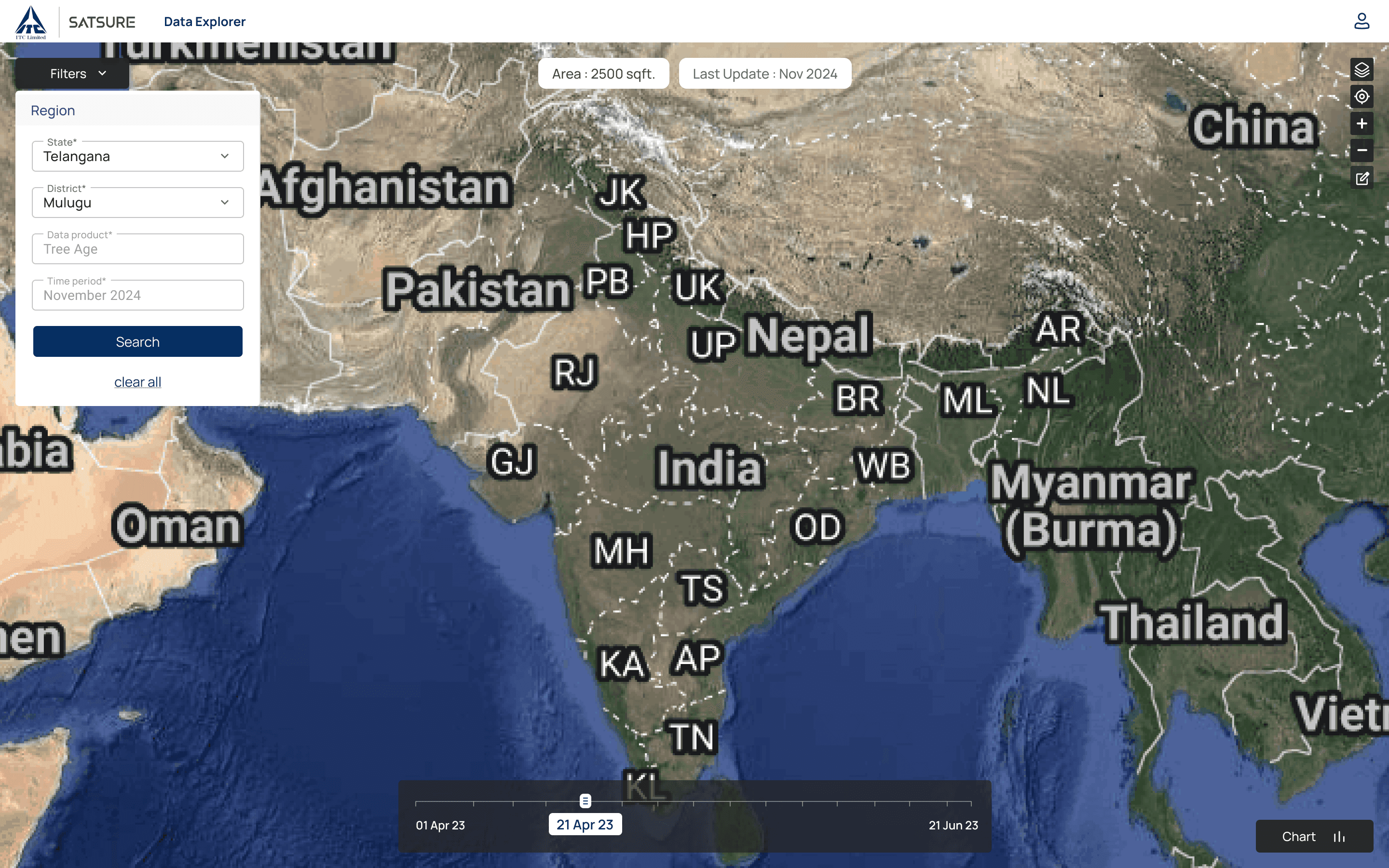
The Disorienting Map
When a manager queried a district, the map often zoomed out to all of India instead of the selected region. The landing screen hid filters behind a 16px chevron, and preselected disabled fields made clicks feel broken.
This disorientation was compounded by a confusing landing screen:
The "Filters" panel was closed by default, hiding the user's starting point.
The panel was hidden behind a tiny, 16px chevron icon that had poor discoverability.
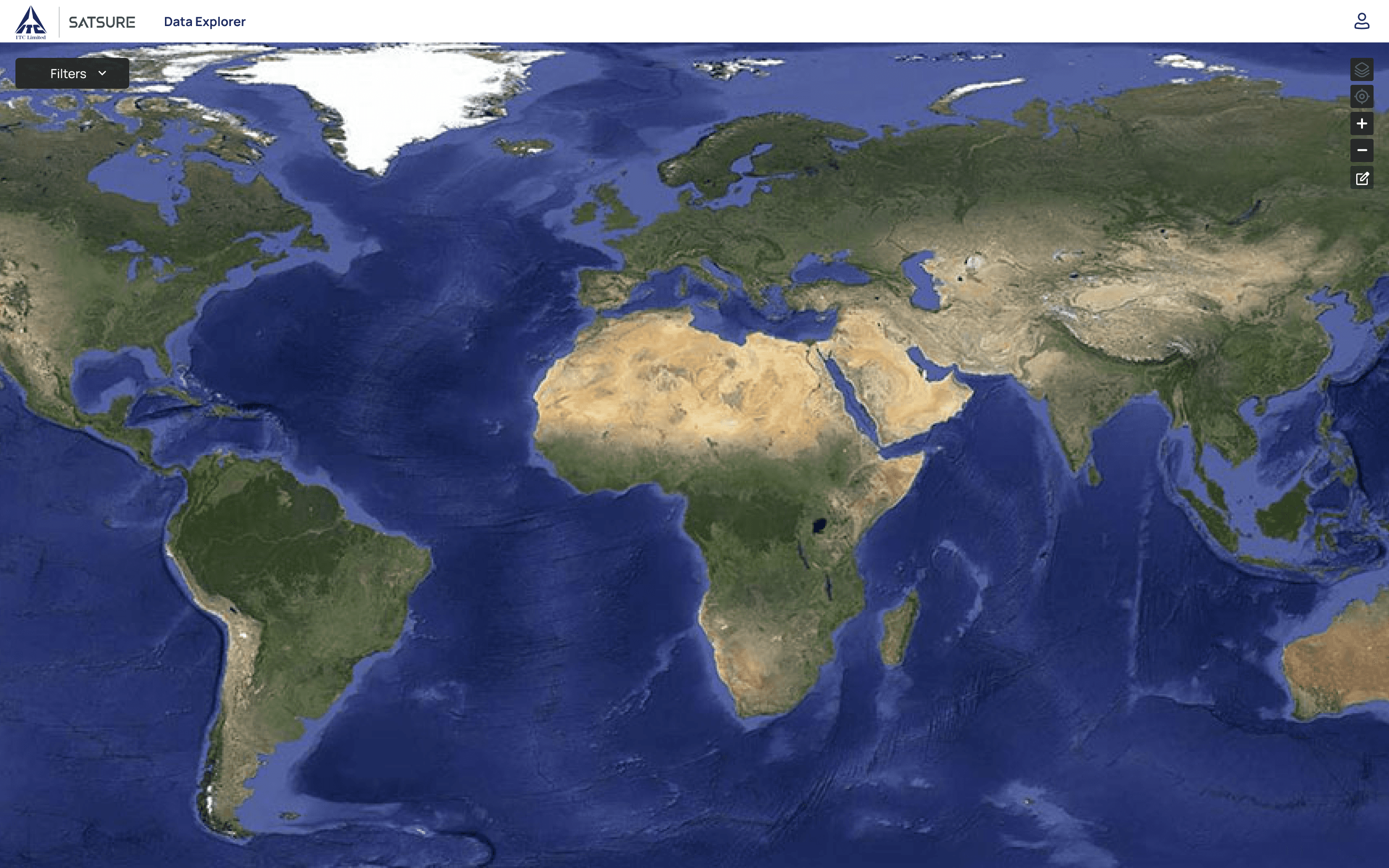
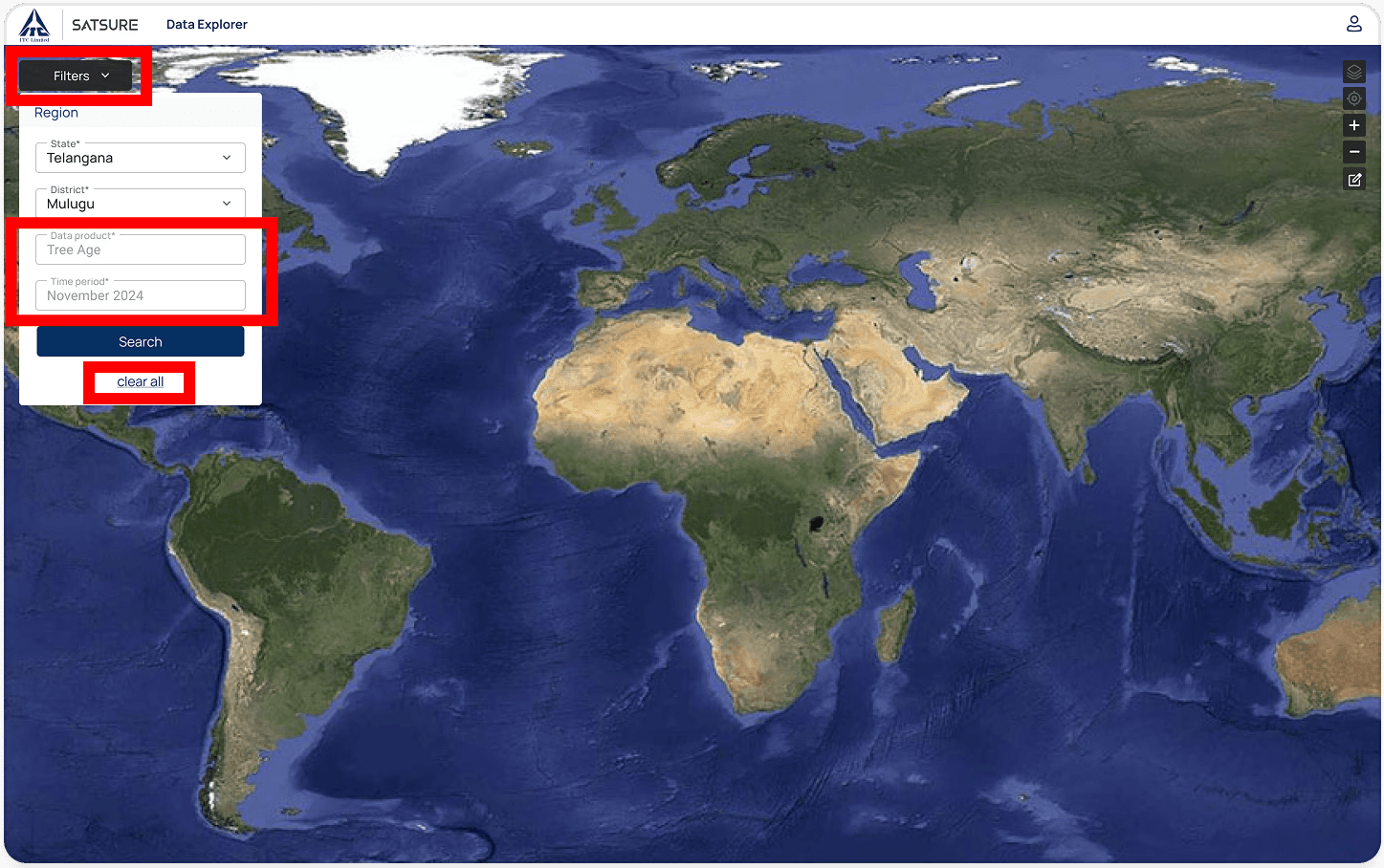
When a user queried a specific district, the map would fail to zoom to the specified district in India. Instead, it would zoom to the entire map of India, leaving the user completely disoriented and forced to manually find and zoom into their region of interest.
A Maze of Wasted Clicks
After every query, managers manually closed the filter panel, hunted for Layers and Chart, then opened both just to see data.
After a query, the user had to perform three unnecessary actions:
Manually close the filter panel.
Manually find the "Layers" & “Chart” panels.
Manually open the layers & chart panels to analyse the data. This high-friction sequence wasted time and cognitive load on every single search.
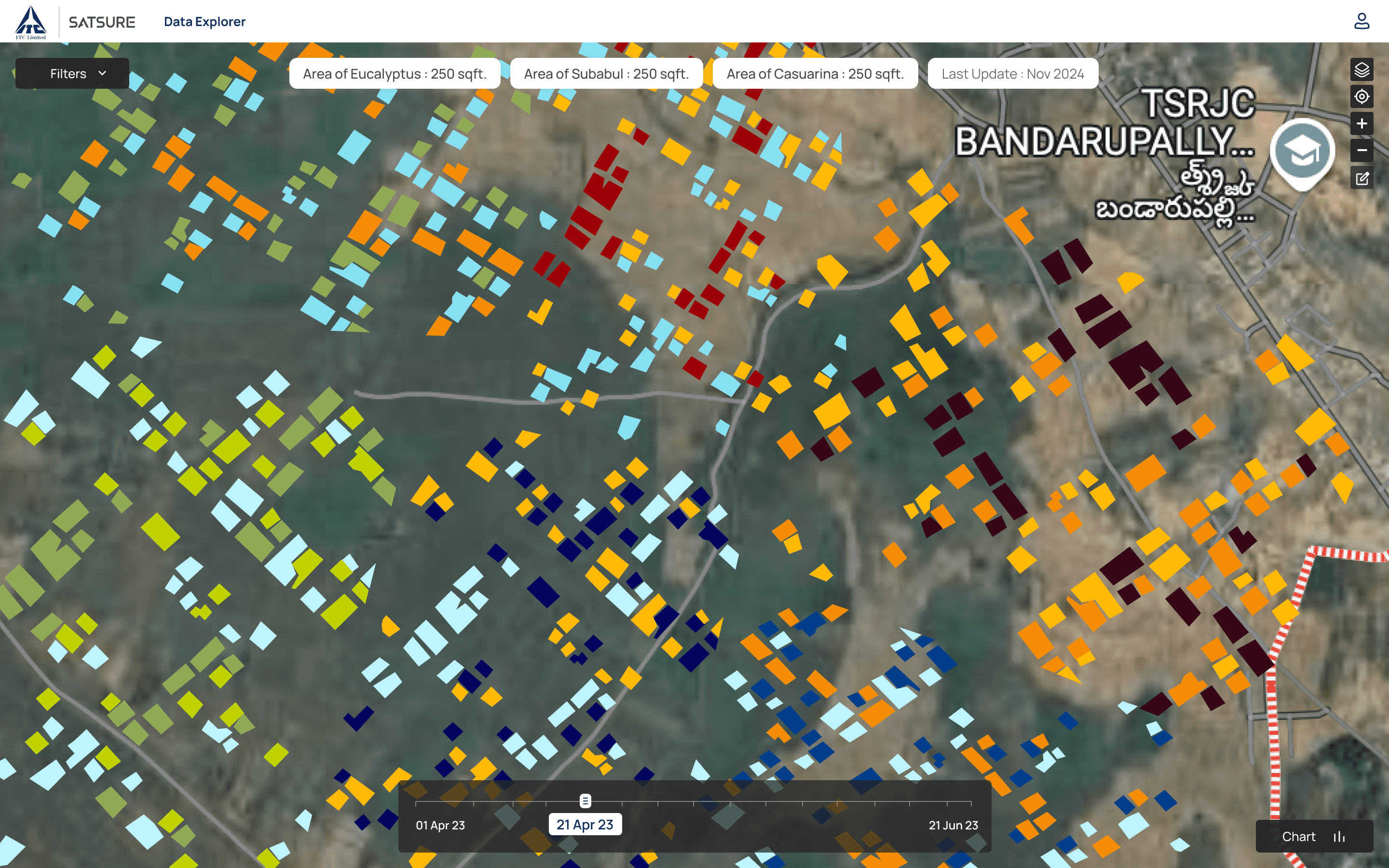
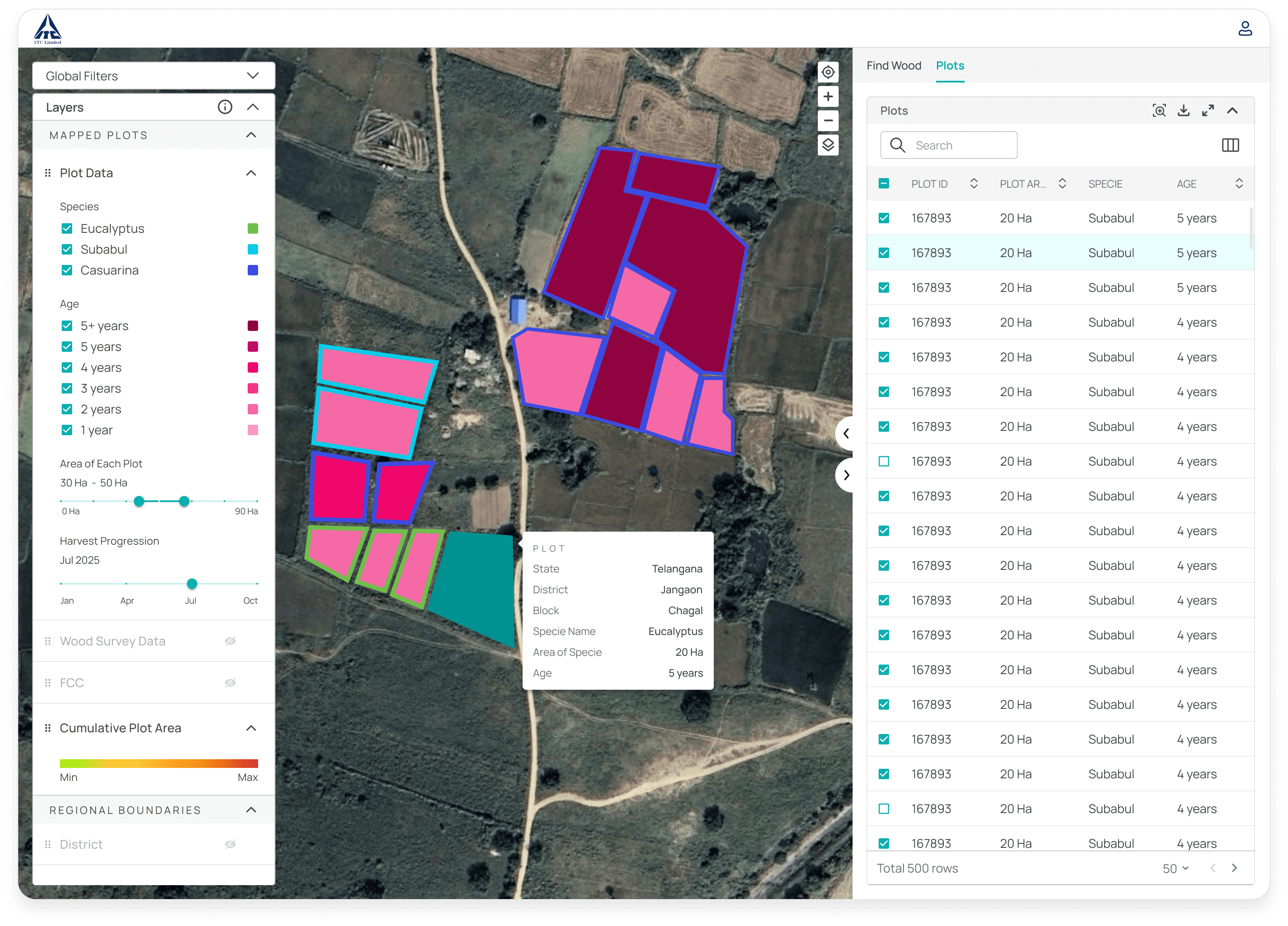
The "Layers" panel had a long, inefficient scroll, and the "Harvest Progression" slider was in a different location, completely disconnected from the data it was supposed to control.
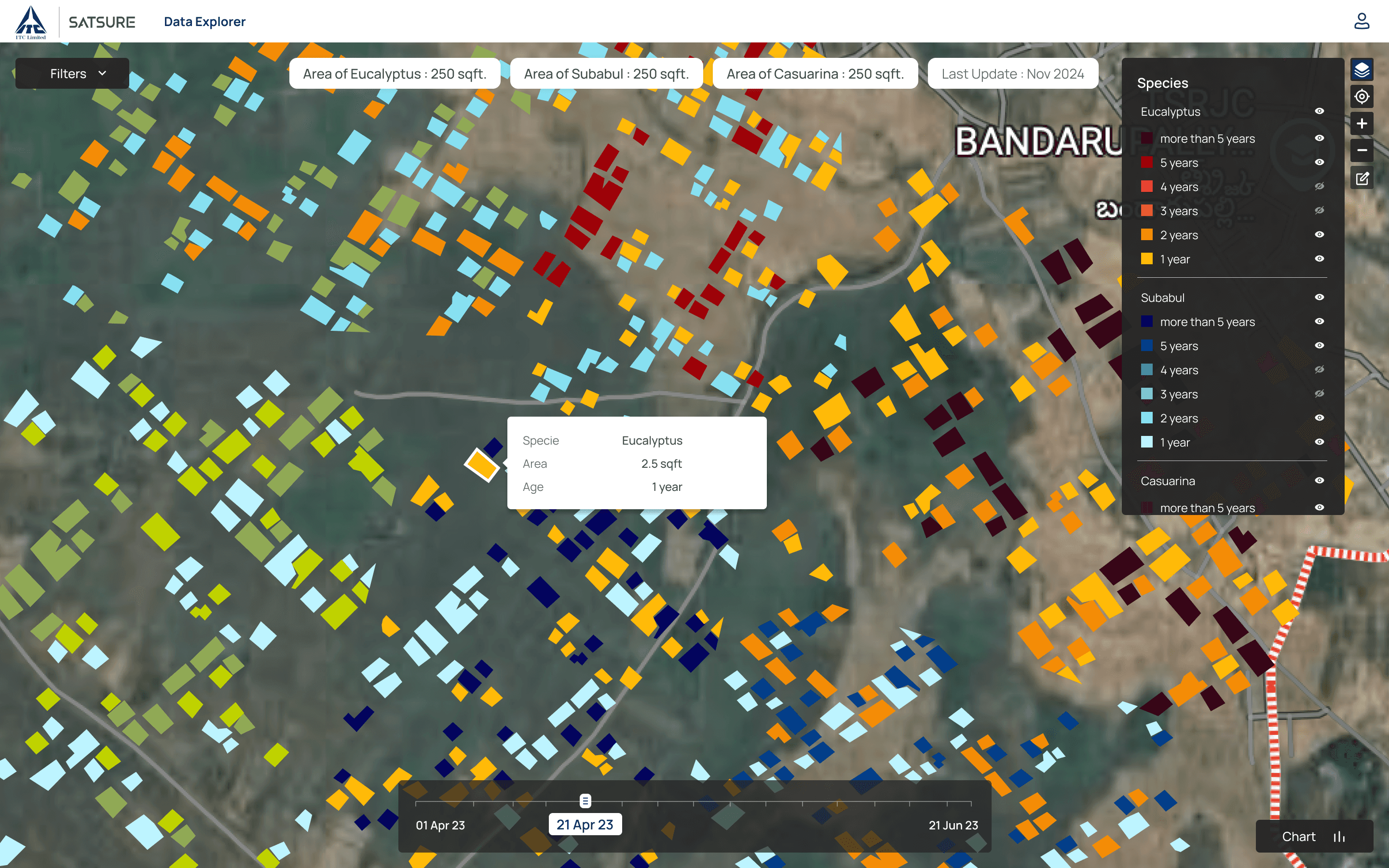
The metadata showed just specie name, area and specie age when clicked on a plot. Also, the selected state was not visually highlighting.

Disconnected Data & Missing Context
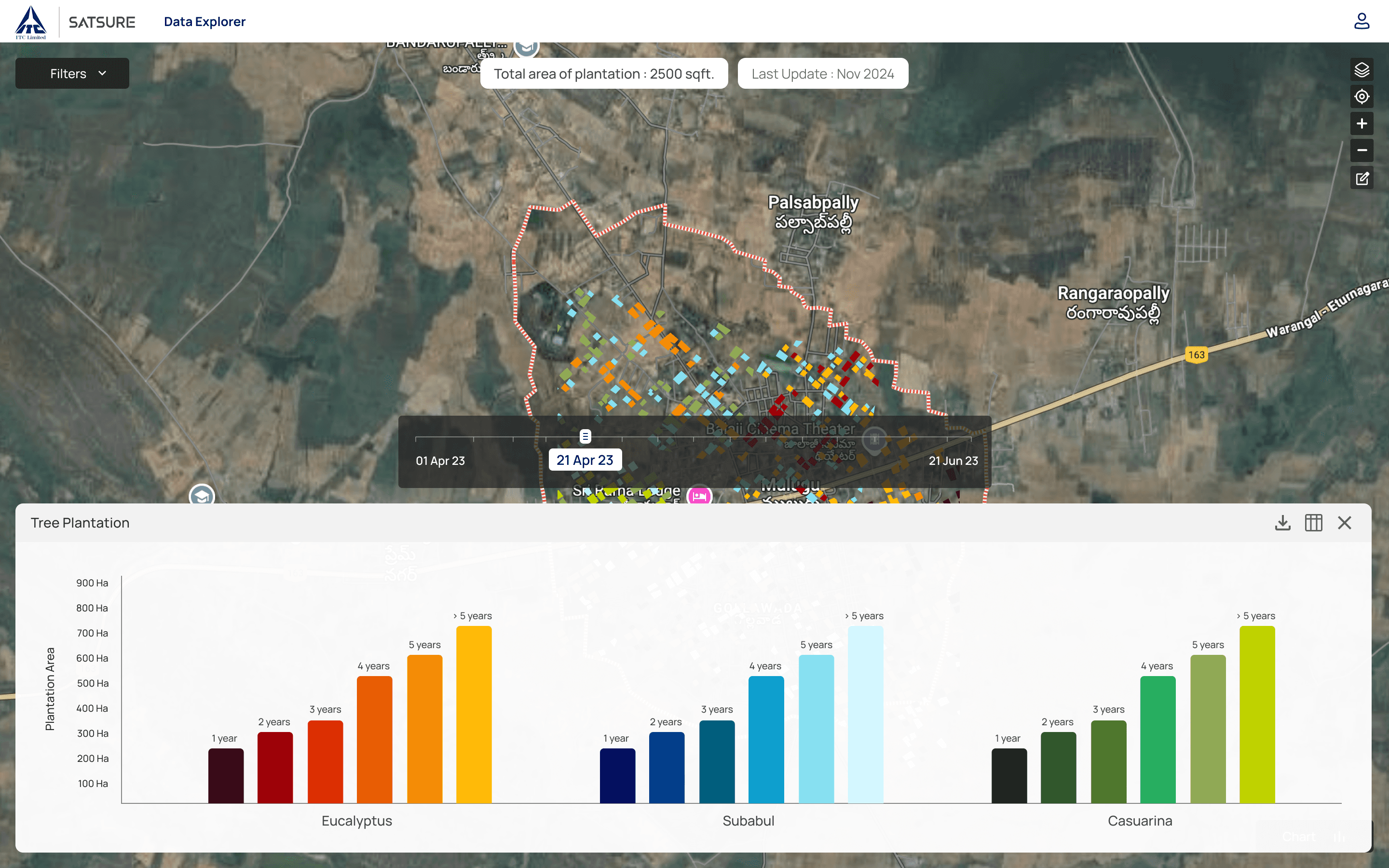
Charts and tables blocked the map. The harvest slider lived in a different panel than the data it controlled. Managers toggled panels on and off instead of comparing geospatial context with numbers.
The chart panel and harvest progression slider occupied more than half the screen, completely blocking the map. This broke the user's core need: comparing data with its geospatial context. Users were forced to manually toggle the panel on and off just to see the map, breaking their flow.
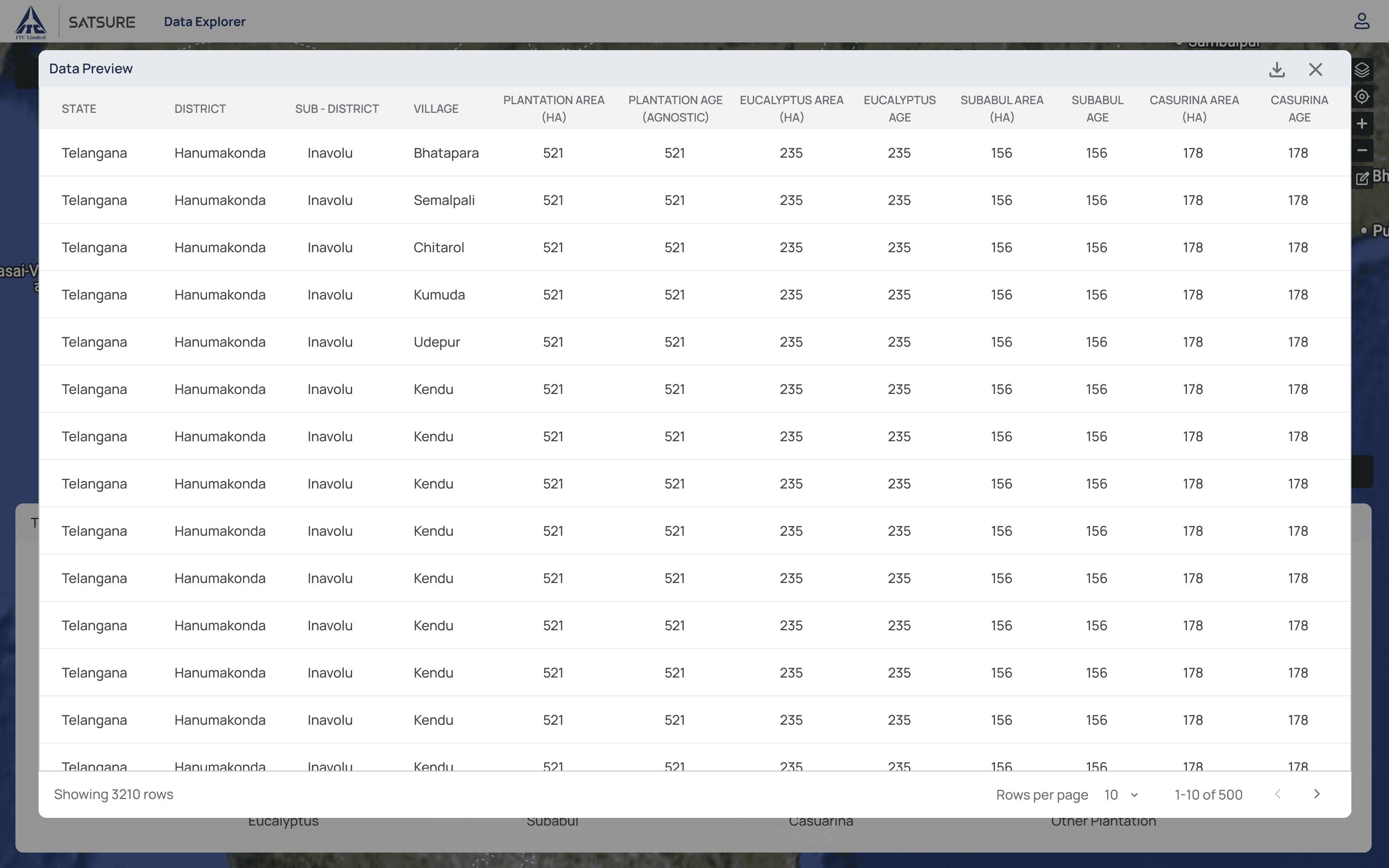
The table too doesn’t allow the user to interact with map and view the table’s data in through the map.
My Approach & Design Goals
Automated & contextual: Auto-zoom, auto-close filters, auto-open the right and layer panels after a query
Clear & cohesive: Co-locate controls; surface plot metadata on hover
Scalable & systematic: Build reusable patterns, not a one-off ITC fix
I benchmarked Global Forest Watch and Felt Maps for layer-panel conventions, then iterated in Figma (4 rounds, each refined after usability testing with ITC managers). I also ran QGIS and Tableau passes with the data team to validate backend functionality and data layering before locking UI patterns.
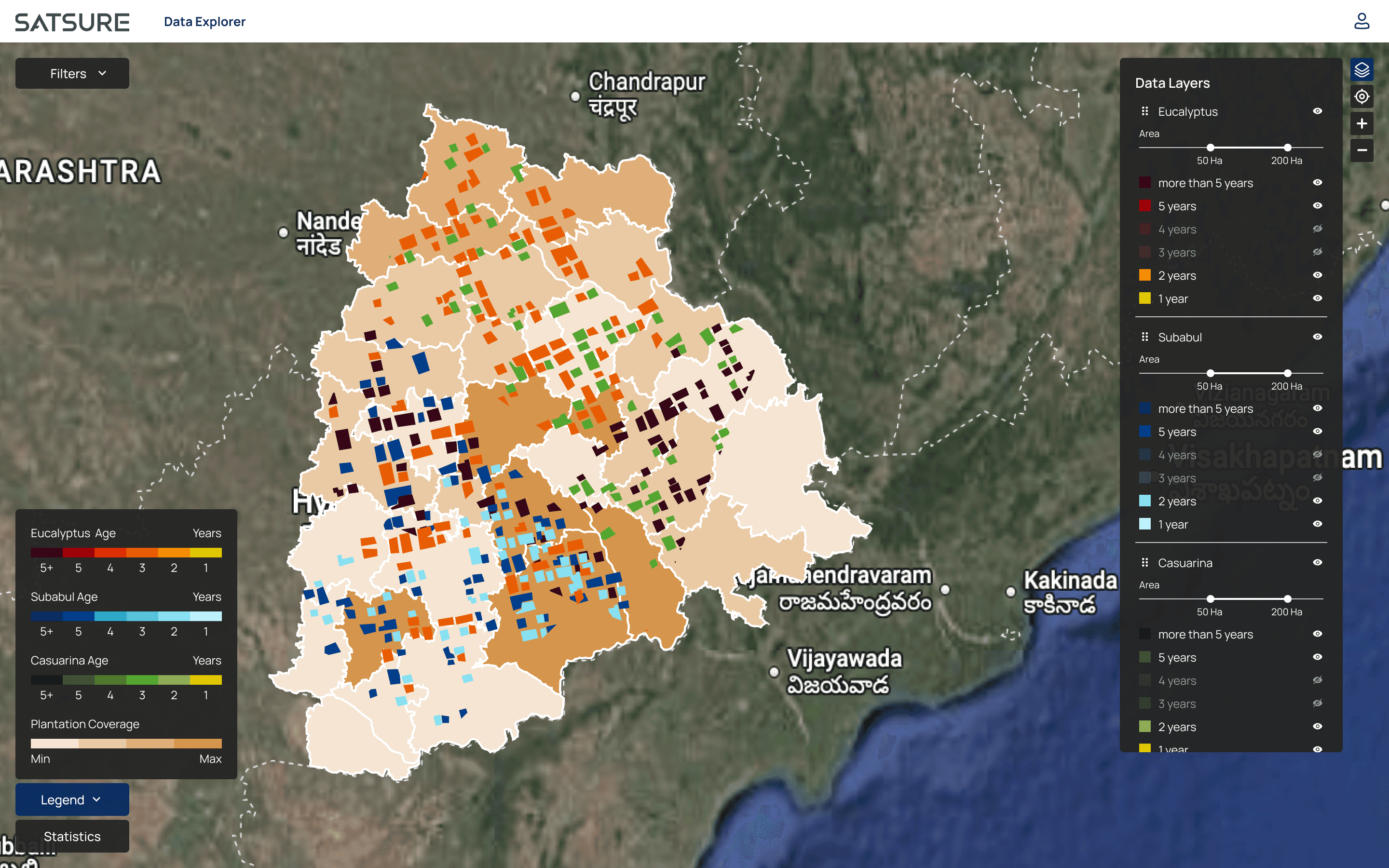
Iteration 1
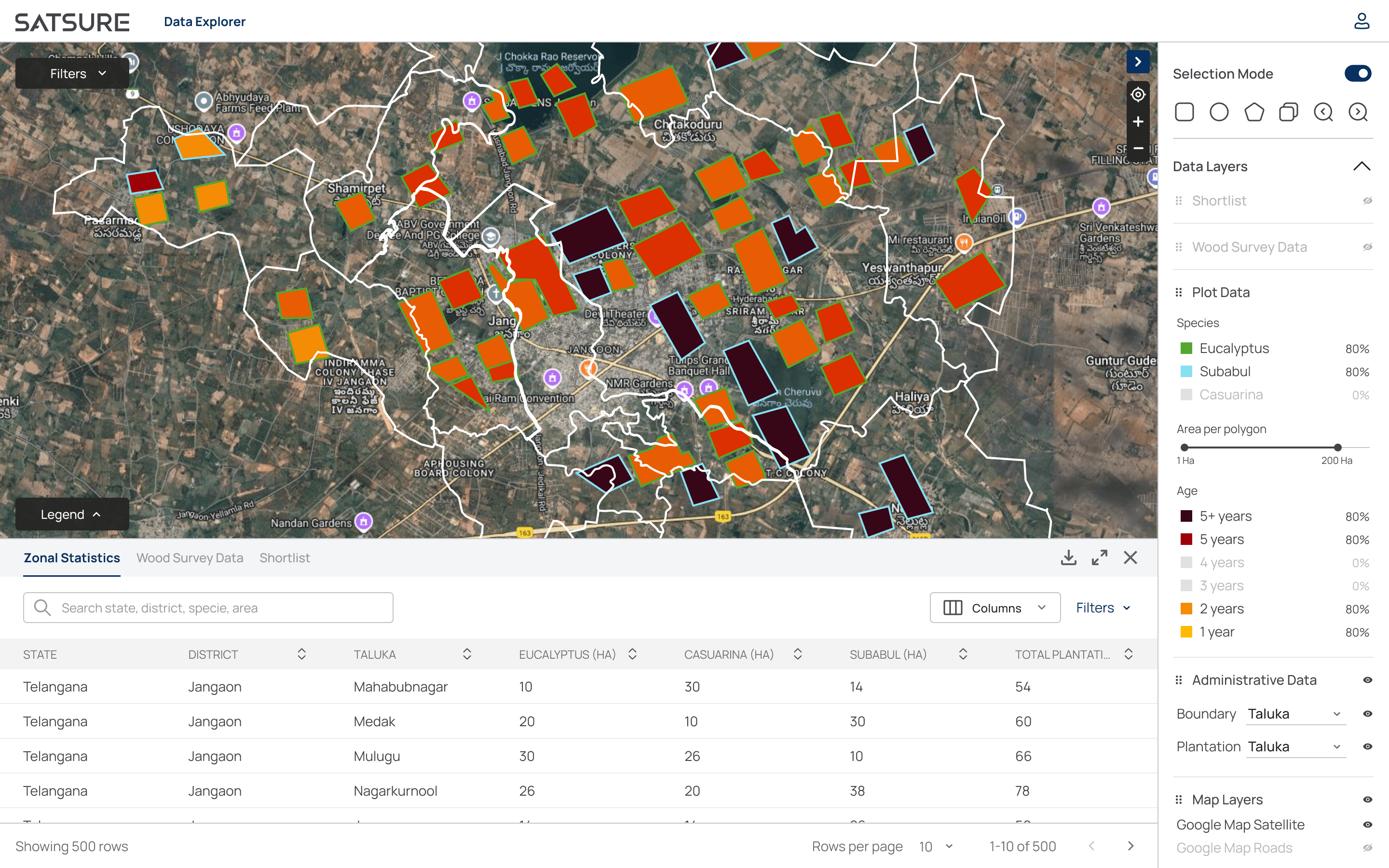
Iteration 2
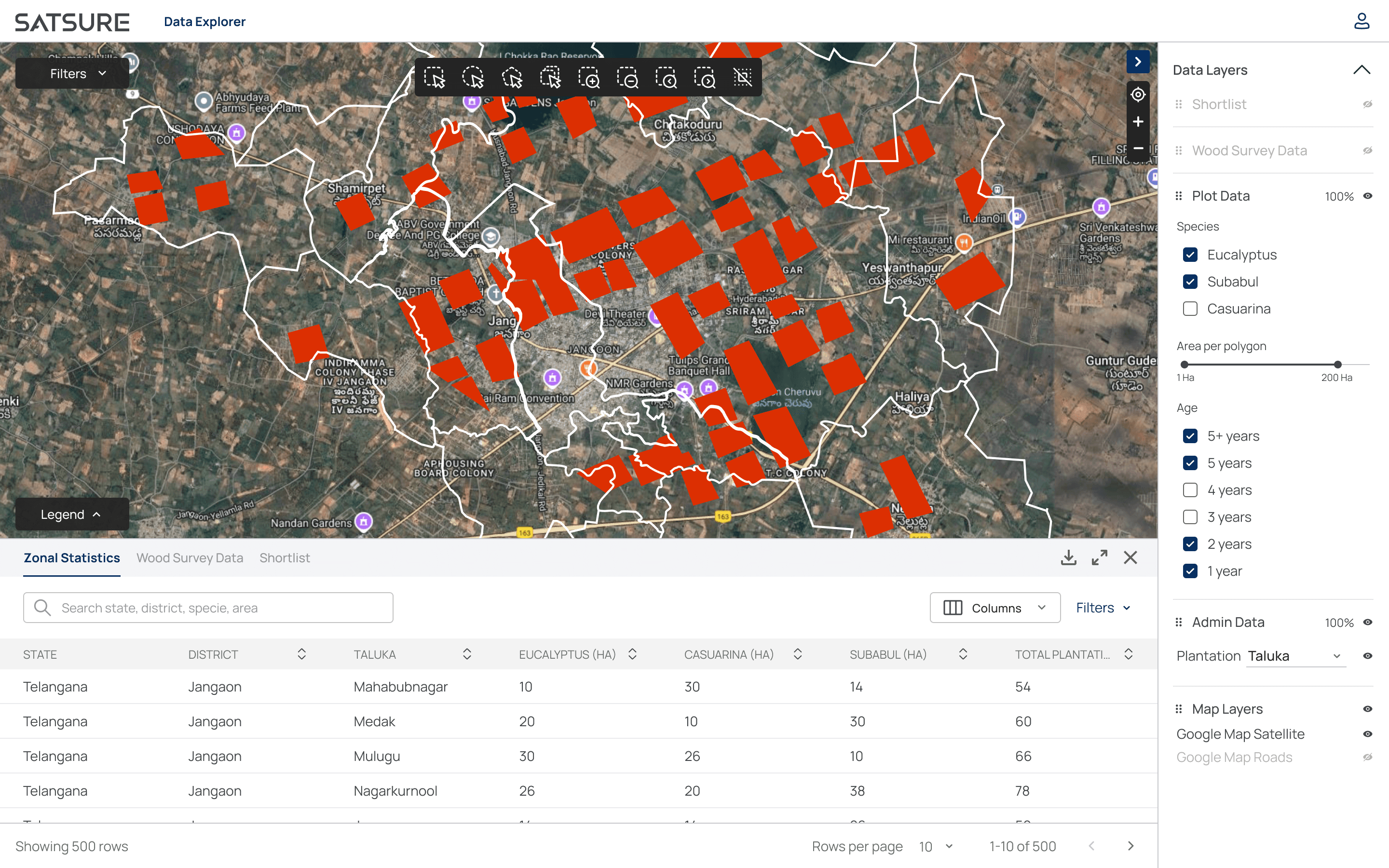
Iteration 3
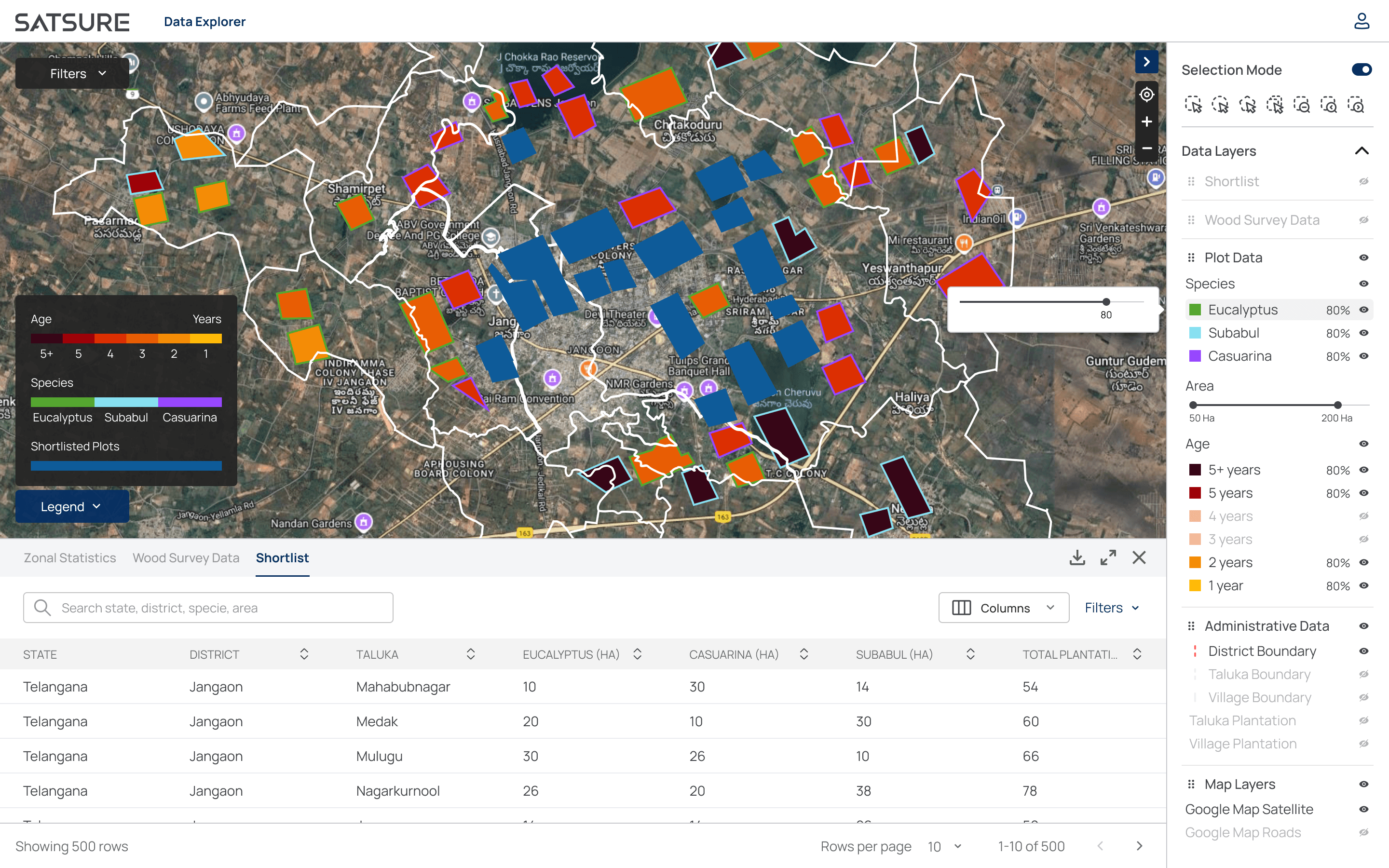
Iteration 4
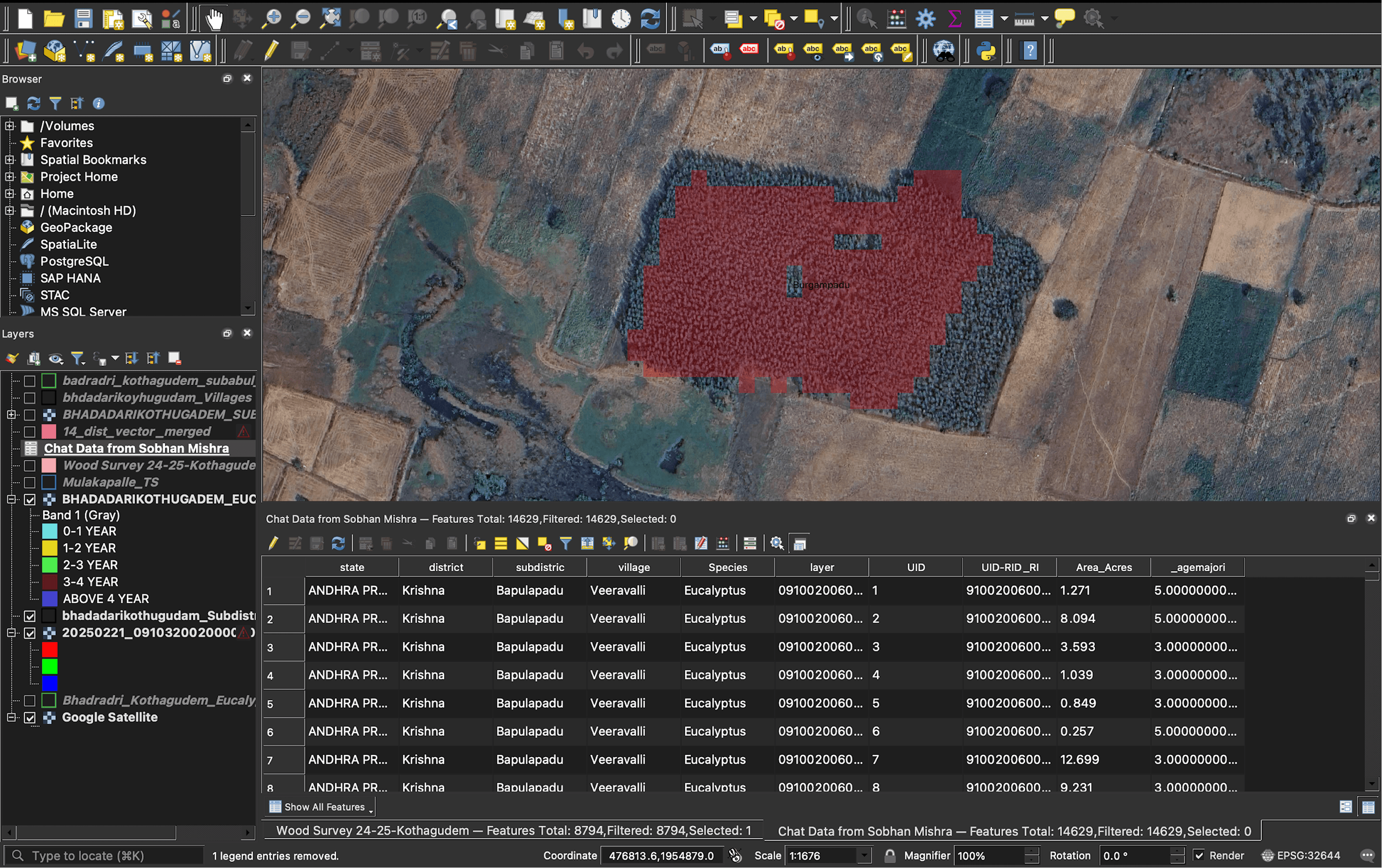
QGIS Iteration
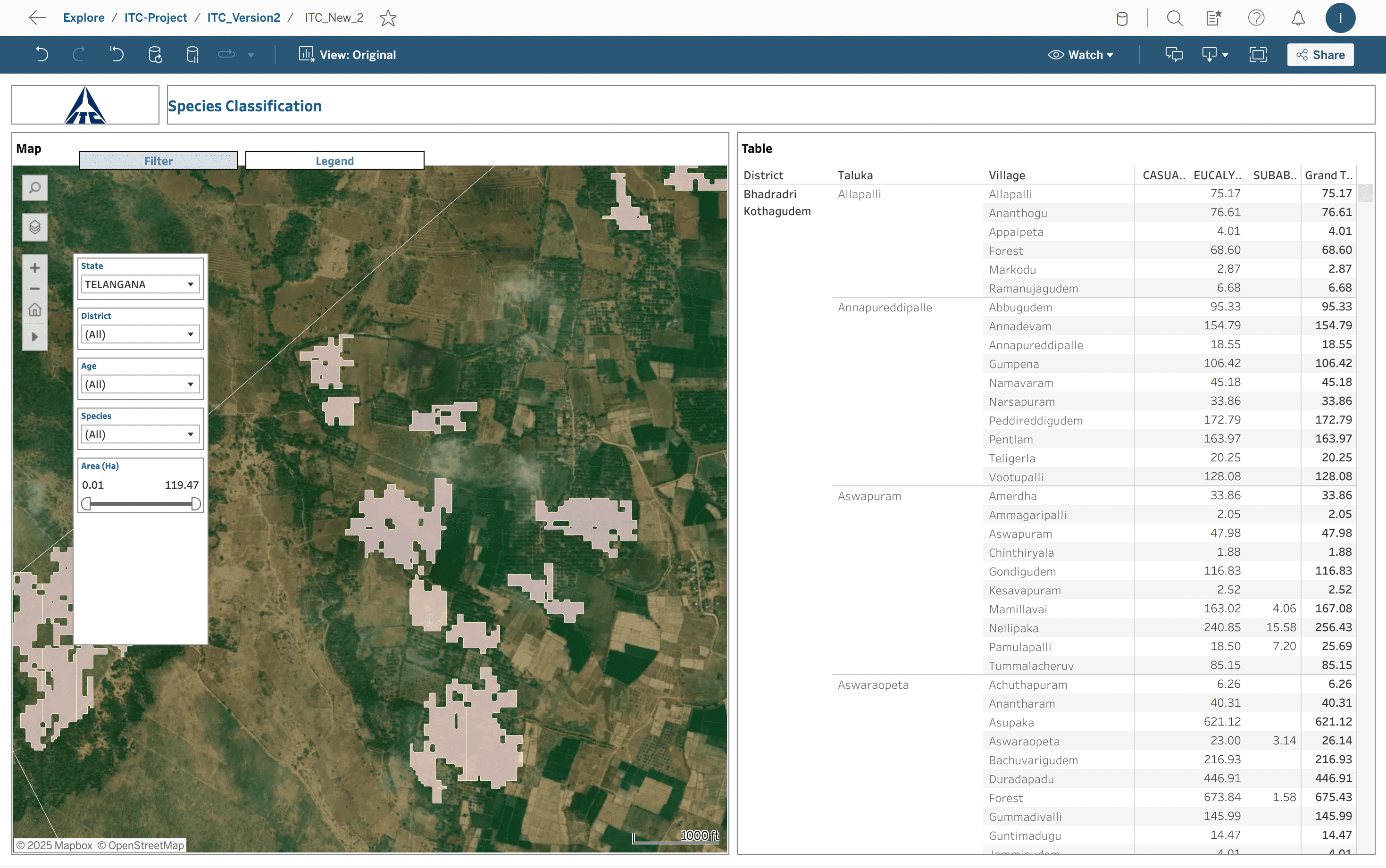
Tableau Iteration
The Solution: A Clear Path to Procurement
Features rolled out to ITC in this order:
Smart map auto-zoom (region-aware landing + query zoom)
Right panel (contextual charts and tables as takeaways)
Layer panel (unified filters, harvest slider, and map controls)
The Smart Map & Automated Panels
This is the landing screen, already zoomed to user’s assigned region, with filter panel opened. No more forcing the user to hunt. No preselected & disabled input fields, as the user can’t change them. Used an accordion for bigger clickable area, with the correct chevron state. Added a “Block” & “Time Period” input field for granular regional & timeline analysis.
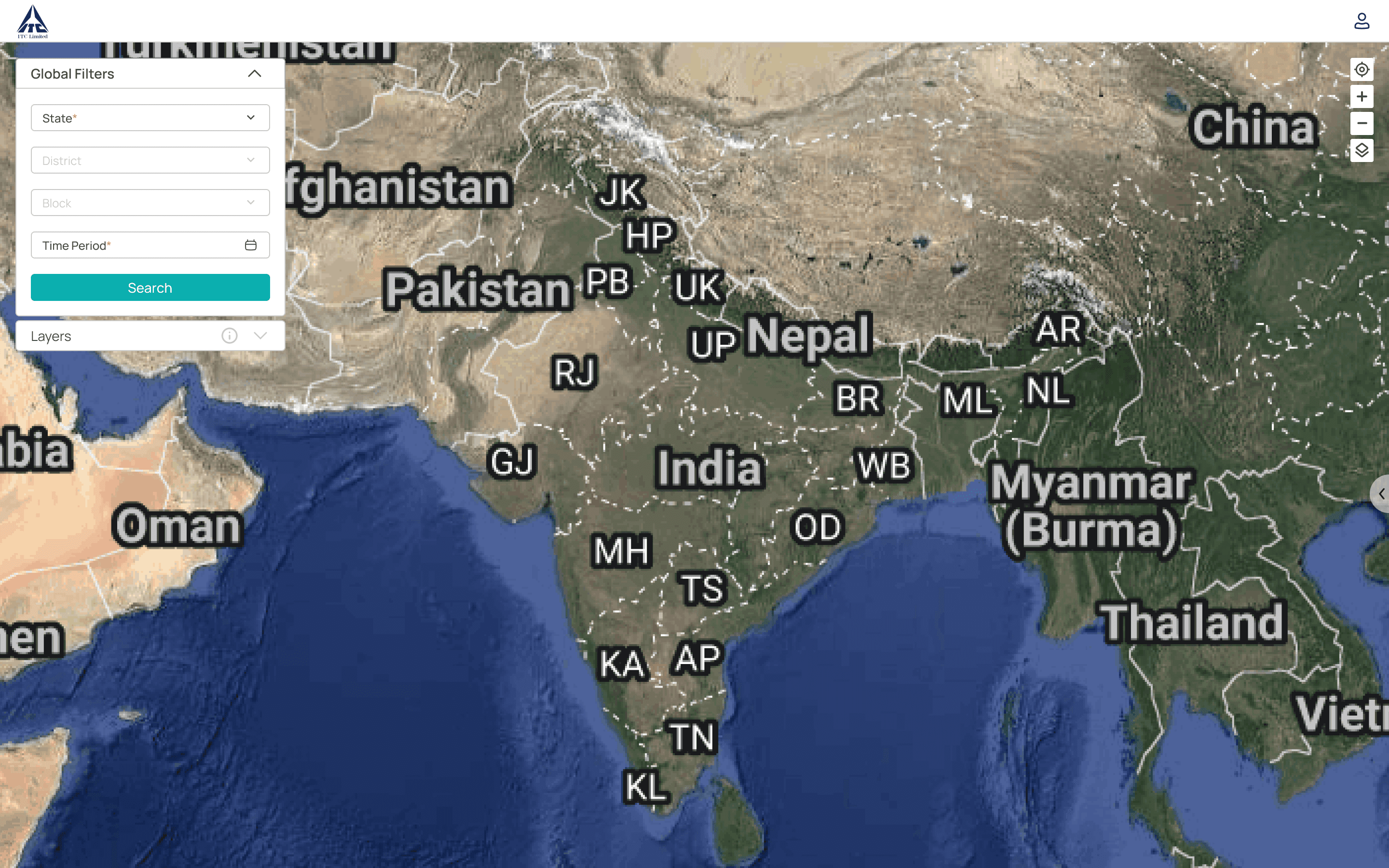
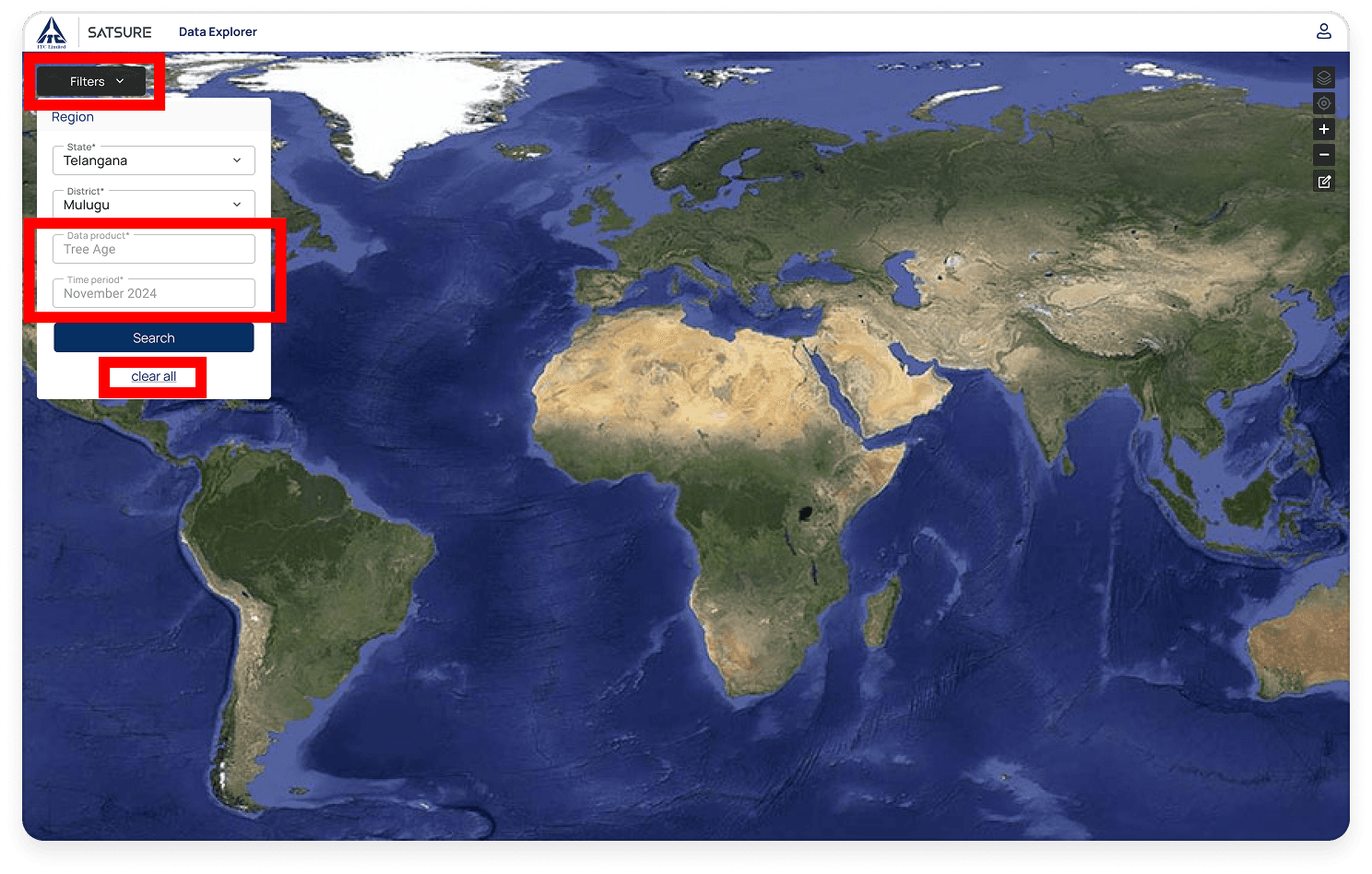

Before
After
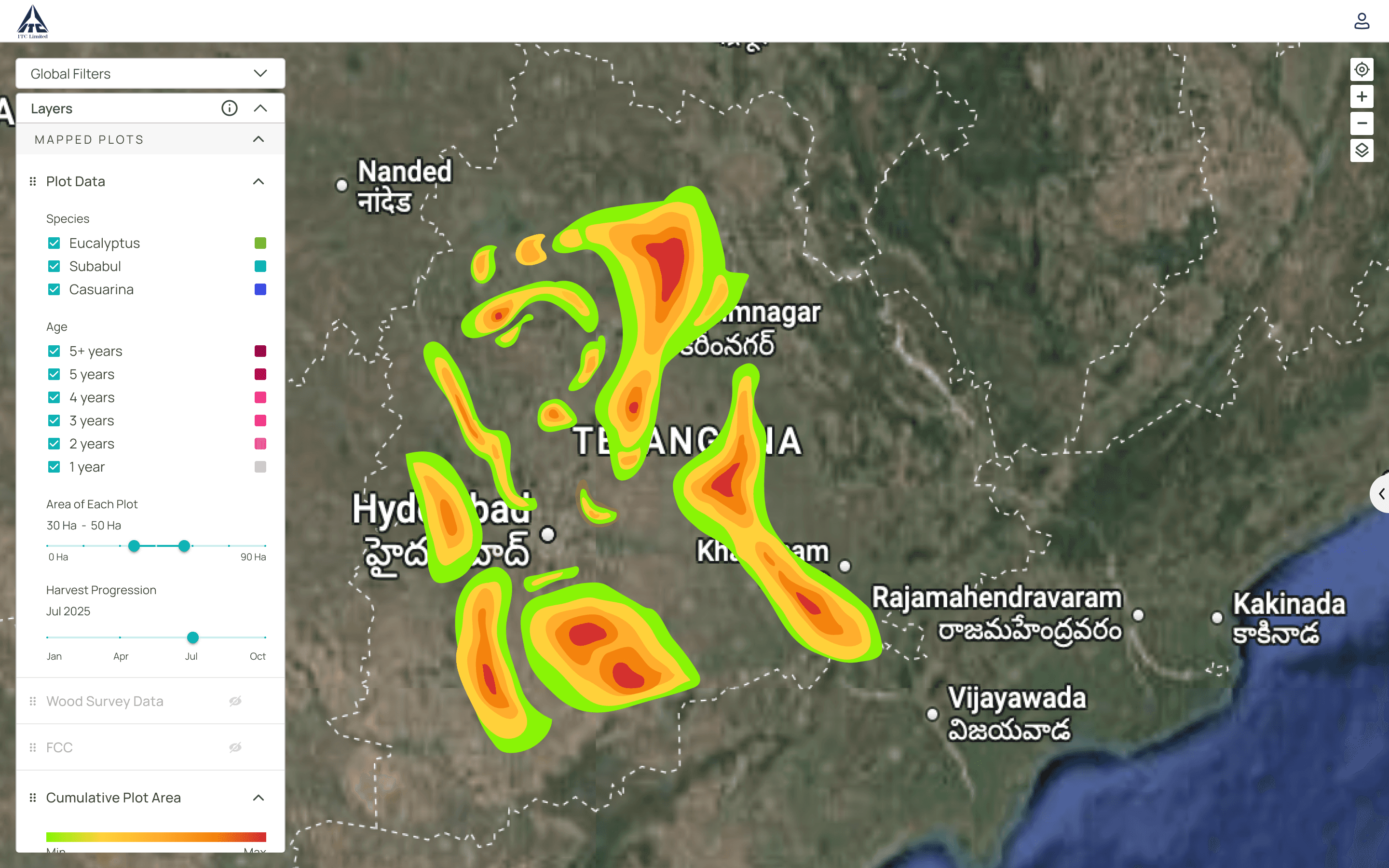
After the query:
The map auto-zooms to the selected region with heatmap.
The filter panel auto-closes.
The layer panel auto-opens, instantly showing the data. This "zero-click" workflow change transformed the experience and became the most-praised feature by the client.
Before
After
The Unified Control Panel
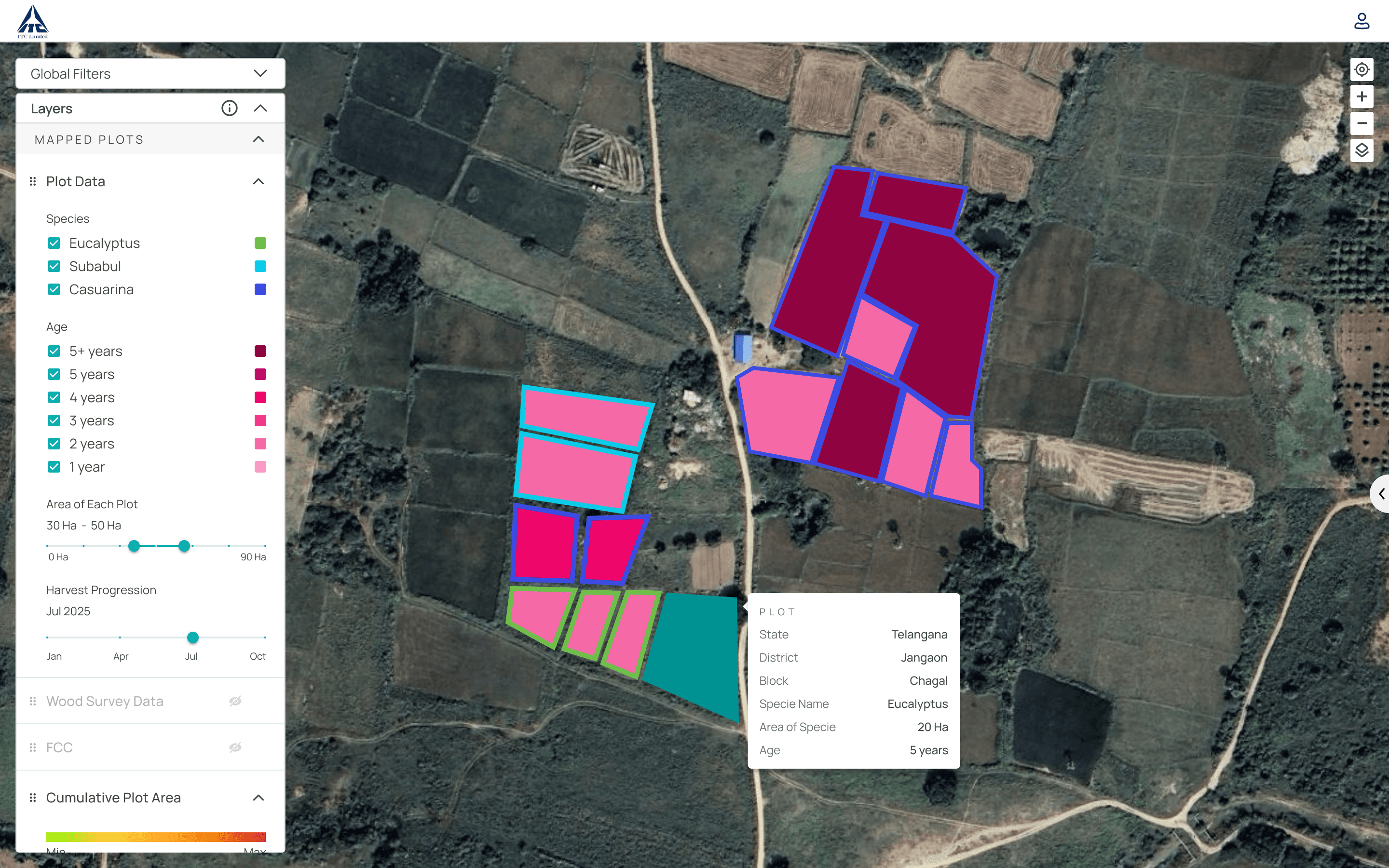
I redesigned the disjointed UI into a logical, co-located Layer Panel. This new panel now includes all filters, like the harvest progression slider, putting all data controls in one intuitive place. To solve the "missing context" problem, I added an on-hover tooltip so an ITC manager can simply mouse over any plot on the map to see all its critical metadata.
Before
After
Contextual Data & Clear Takeaways
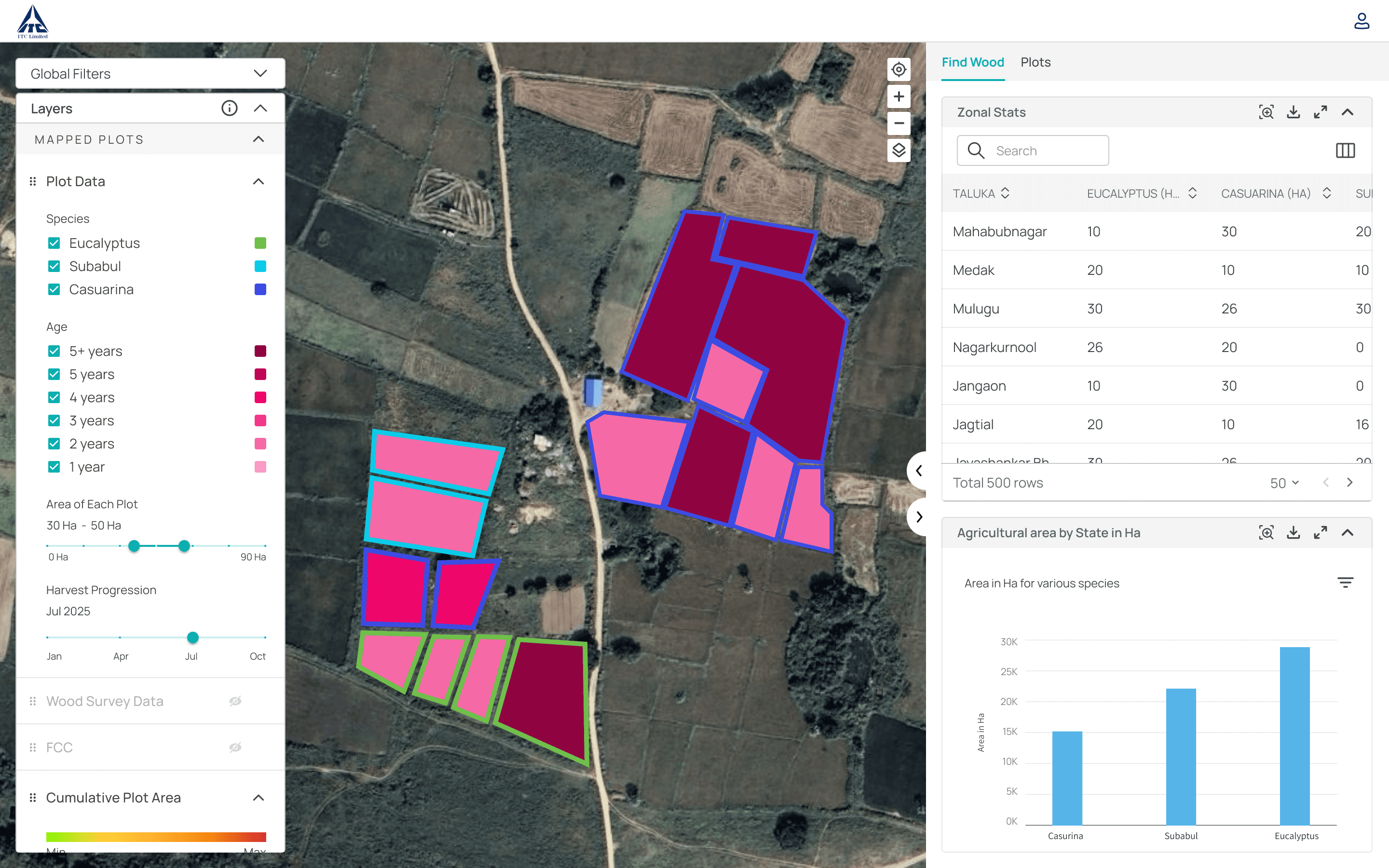
I replaced the confusing bottom panel with an intuitive Side Panel that clearly displays charts and tables as actionable "takeaways."
Before
After
The Pivot: From a Client Fix to a Company-Wide System
While finishing the ITC rollout, we realized ITC's problems were universal. Every new SatSure client dashboard reused ~80% of the same UI, yet teams were rebuilding from scratch, 4+ months of dev time per dashboard before Presentation Layer.
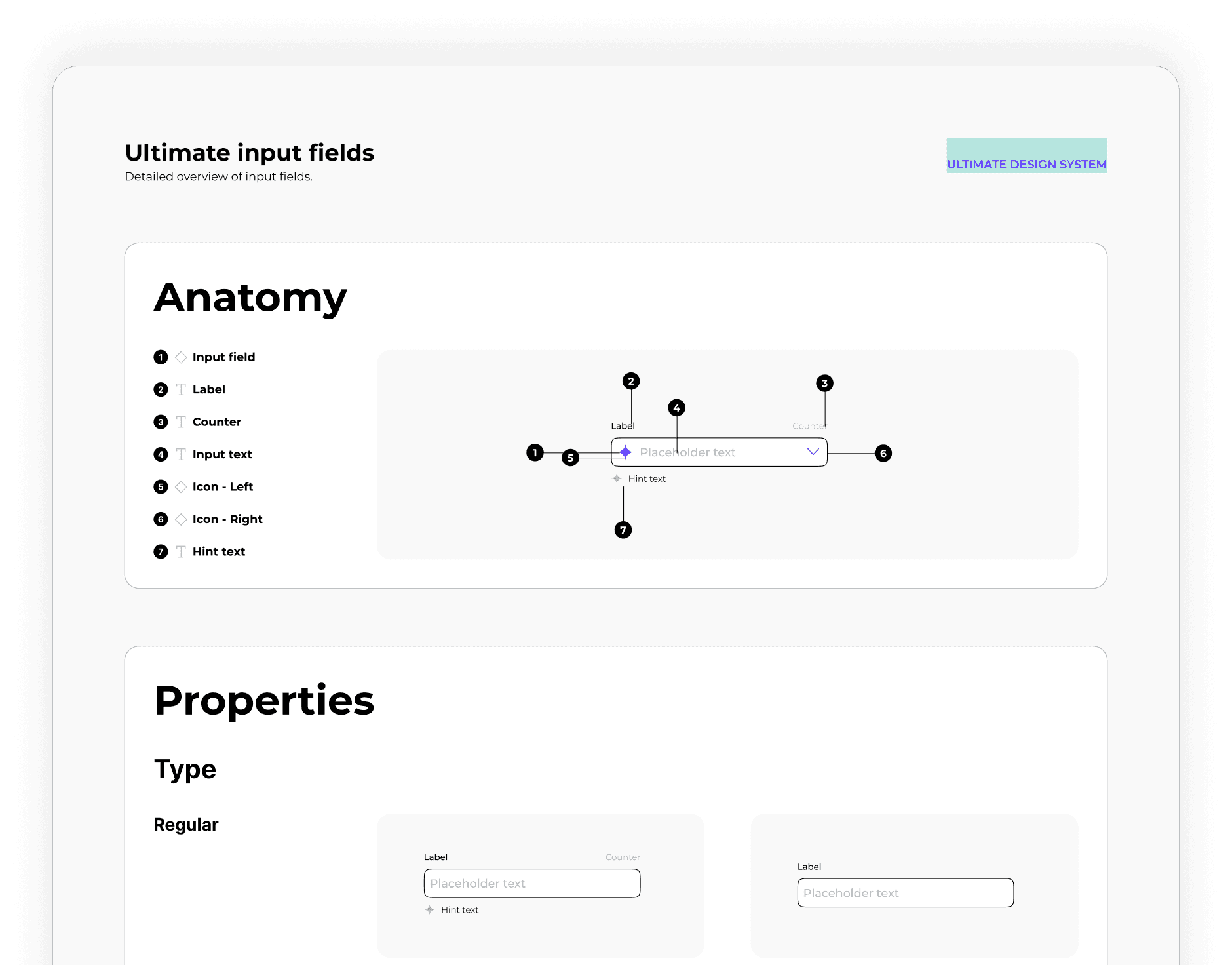
I led the abstraction of ITC's winning patterns into Presentation Layer: 40+ components including the smart map controls, layer panel, and right panel. The system became the shared foundation for 9 dashboard products deployed across 15 enterprise clients (other legacy products were not migrated).
HDFC Bank's Farm Credit Score dashboard was rebuilt on Presentation Layer after ITC, using the same component set.
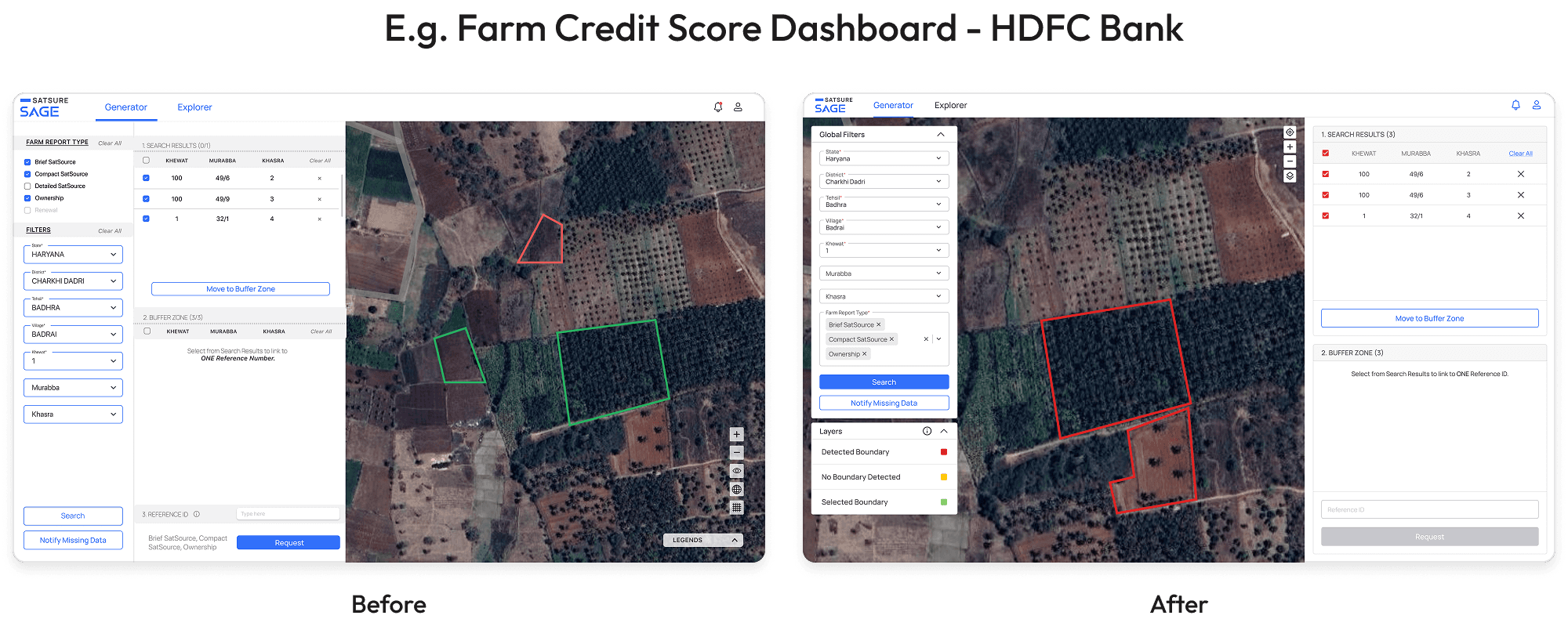
The Design System
The Final Outcome & Impact
Metrics below were tracked and validated by the product manager, AVP, and engineering team.
For the Client (ITC)
After launch, ITC feedback shifted from confusion to confidence:
“This is great, it works well.”
30%
Faster Task Completion
For Procurement Managers
1-Point
CSAT Score Increased
From 3.5 to 4.5 Out of 5
Timed task study with procurement managers on the query → export workflow
Post-launch CSAT survey with 6 ITC users (3.5 → 4.5)
~20% fewer user errors tracked via QA logs, Hotjar mis-clicks, and field officer rework reports
For the Business (SatSure)
60%
80%
4 sprints down to 1 sprint per new client dashboard build
80% fewer UI bugs caught in QA and design review vs. pre-system baselines
9 dashboard products standardized across 15 enterprise clients
Reflections & Key Learnings
Solve one client, then scale. Presentation Layer worked because ITC proved the patterns on a real, high-stakes workflow first.
Fewer, smarter components. The system succeeded with 40+ flexible components, not hundreds of one-offs.
Validate with the people shipping it. PM, AVP, and dev sign-off on metrics kept the story honest and adoption high.
What I’d do differently: Push for a dark theme in the initial system build. Long map-analysis sessions need it, and retrofitting theme tokens later is painful.